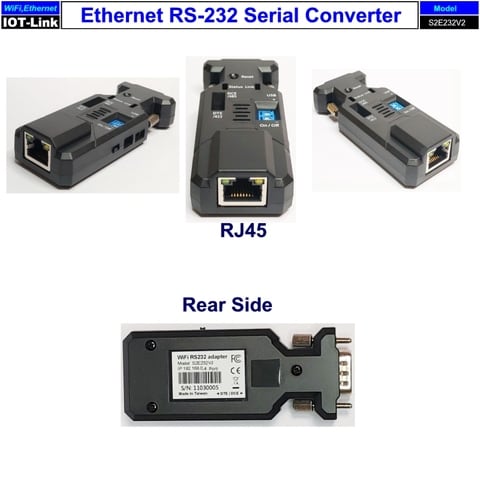
Ethernet to RS-232 adapter
Support TCP Server/Client, UDP Server/Client, Http Client, Https client
Applications:
- Home Automation
- Health and wellness monitoring
- Smart Building, Smart Agriculture
- Industrial automation
- Cloud
Specifications:
- Network standard: IIEEE-802.3
- Half-duplex (CSMA/CD) and full-duplex operation
- Security: WPA, WPA2, WPA3, WAPI
- Encryption: AES, SHA-2, RSA, ECC, RNG
- 1 TCP Server support up to 8 Clients link
- Operational temperature: -40ºC to 85ºC
- Baud rate: 1,200~921,600 bps, configured 80~1,000,000 bps by the user
- Data Bit: 5,6,7,8
- Parity: None, Even, Odd
- Stop bit: 1,1.5,2
- Flow control: None, CTS, RTS, CTS/RTS
- Network protocol: TCP Server/Client, UTP Server/Client, Http Client, Https Client
- Cloud (Option)
- Dimension: 88 mm (L) x 35 mm (W) x 22 mm (H)
Start to use the adapter
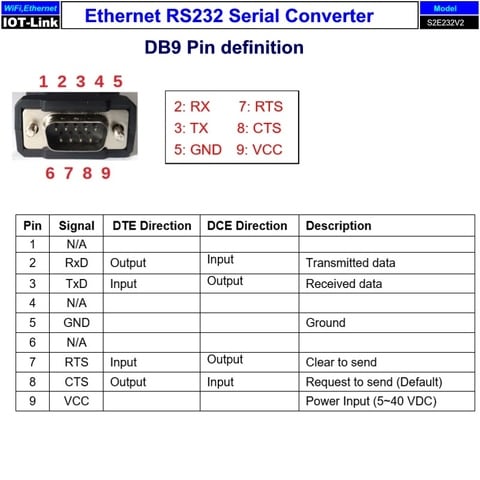
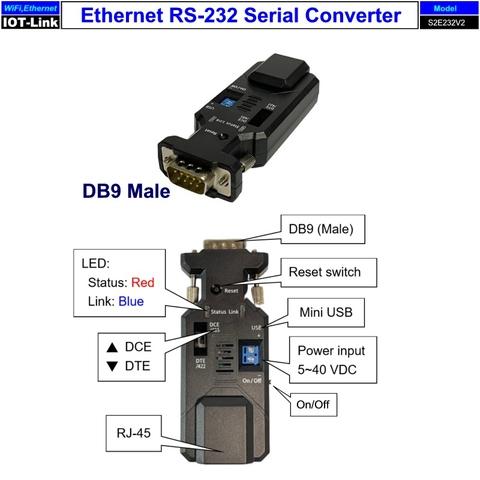
1. There’re three power inputs, mini USB, pin9 of DB9 or blue 2 ports block terminal. Please select one way to power the adapter. The max. voltage is 40 VDC input for all sources.
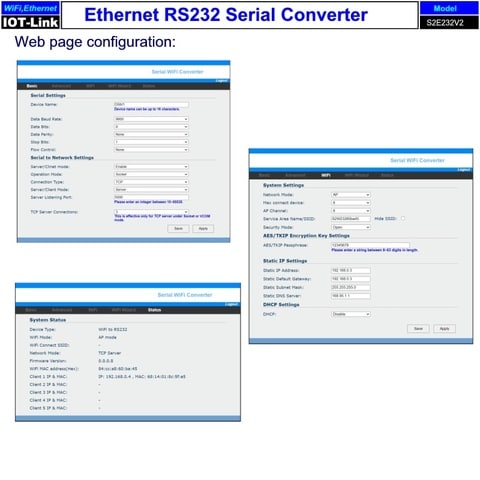
2. COM port default setting:
Baud rate: 9,600 bps
Data bit: 8
Parity: none
Stop bit: 1
Flow control: none
3. Network default setting:
IP: 192.168.0.4
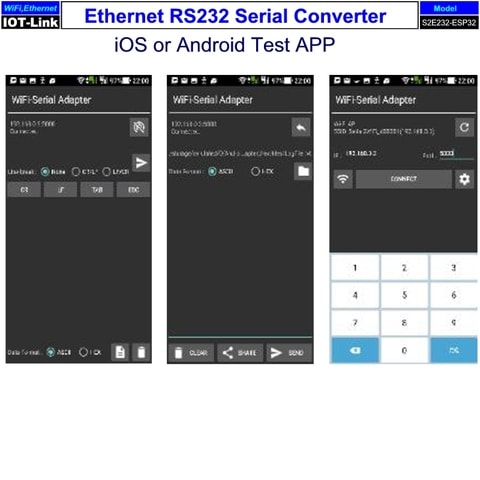
Socket port: 5000 (TCP server)
Log in ID: admin
Log in password: admin
4. DCE/DTE switch: DCE side. The switch will swap TX,RX,CTS,RTS of the COM port. Generally, DCE side for PC or NB setup. The user will test and switch to the correct side for the remote device.
5. LED indicator on RJ45 connector:
Green: Link, when ethernet physical link established, on.
Yellow: Data, when ethernet data communicate, toggle
6. LED indicator on the adapter:
Red: Solid on when power on the adapter
Blue: Flash when data input or output
7. Power supply
7.1 Voltage: 5~40 VDC, Don’t exceed the limit.
7.2 There’re 3 ways to power the adapter: Mini USB, 2P Terminal Block and pin9 of DB9, please choose one. Don’t power the adapter by more than one source.
7.3 The mini USB cable is inside the standard package.
Package content:
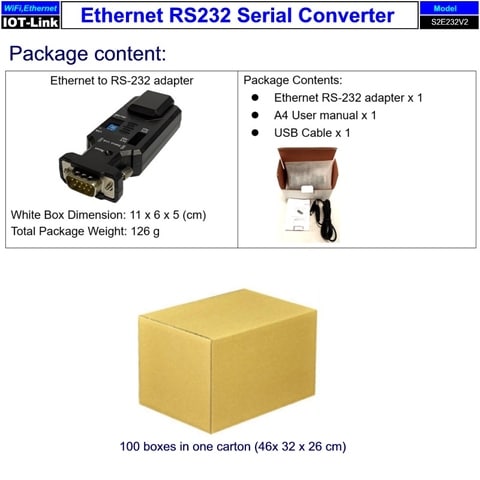
1. Ethernet to RS-232 adapter
2. Type A USB to Mini USB cable
3. A4 user manual x 1
Remark:
FedEx is the default shipping way. We will reserve the right to balance the shipping cost by other forwarder due to the unexpected events. Ex. Covid-19 or unforeseen factors issues.